Cubic Pixel Studio is an art software that specialises in both 2D pixel art and 3D Voxel Modelling!
Cubic Pixel Studio takes a unique spin on 3D modelling where you can draw the model in layers of 2d images!
Cubic Pixel Studio takes a unique spin on 3D modelling where you can draw the model in layers of 2d images!
Cubic Pixel Studio supports Colour palette file types of the following:
GPL, HEX, TXT, PAL, PNG, BMP, JPG
Cubic Pixel Studio supports the following import files:
PNG, BMP, JPG, VOX, VOXMODEL, CUBICPIXEL
Cubic Pixel Studio exports to the following:
PNG, BMP, JPG, VOX, OBJ, VOXMODEL, T3DM, JSON, CUBICPIXEL
GPL, HEX, TXT, PAL, PNG, BMP, JPG
Cubic Pixel Studio supports the following import files:
PNG, BMP, JPG, VOX, VOXMODEL, CUBICPIXEL
Cubic Pixel Studio exports to the following:
PNG, BMP, JPG, VOX, OBJ, VOXMODEL, T3DM, JSON, CUBICPIXEL
The Pen is a solid brush with 3 shape varieties: square, circle and triangle.
Its size can range from 1px to 9999px in diameter, it works with all colours and opacity and is the default draw tool in the program.
The Pen is not affected by pen display pressure/windows pen sensitivity and has a constant size, there is the option to toggle stroke autofill where it can interpolate strokes if framerate is low to keep a consistent pen stroke!
Editions this Tool is found in:
Cubic Pixel Studio Lite
Cubic Pixel Studio
Cubic Pixels
Its size can range from 1px to 9999px in diameter, it works with all colours and opacity and is the default draw tool in the program.
The Pen is not affected by pen display pressure/windows pen sensitivity and has a constant size, there is the option to toggle stroke autofill where it can interpolate strokes if framerate is low to keep a consistent pen stroke!
Editions this Tool is found in:
Cubic Pixel Studio Lite
Cubic Pixel Studio
Cubic Pixels
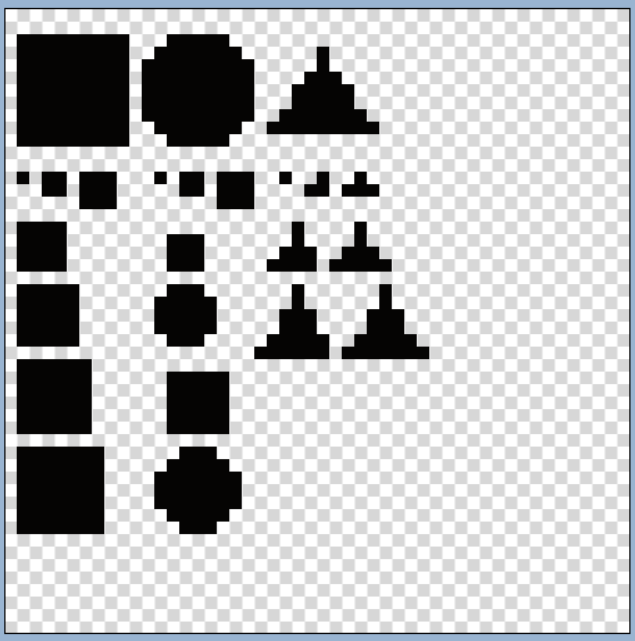
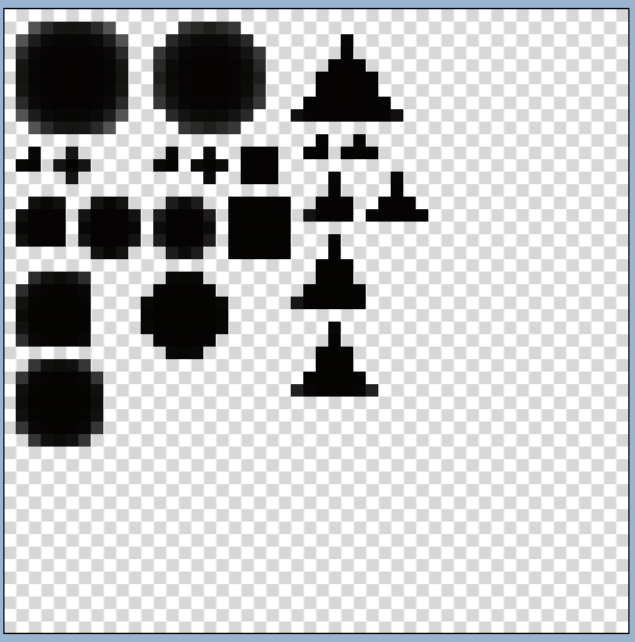
The Paint Brush is a soft-edged brush with 3 shape varieties: square, circle and triangle.
the paint brush starts at 2px in size because of its softer stroke, it works with all colours and opacity and is a fundamental draw tool in any art program.
The Paint Brush is affected by Pen pressure/sensitivity, and the longer you hold it down in a single spot the more solid the line is, there is the option to toggle stroke autofill where it can interpolate strokes if framerate is low to keep a consistent pen stroke!
Editions this Tool is found in:
Cubic Pixel Studio Lite
Cubic Pixel Studio
Cubic Pixels
the paint brush starts at 2px in size because of its softer stroke, it works with all colours and opacity and is a fundamental draw tool in any art program.
The Paint Brush is affected by Pen pressure/sensitivity, and the longer you hold it down in a single spot the more solid the line is, there is the option to toggle stroke autofill where it can interpolate strokes if framerate is low to keep a consistent pen stroke!
Editions this Tool is found in:
Cubic Pixel Studio Lite
Cubic Pixel Studio
Cubic Pixels
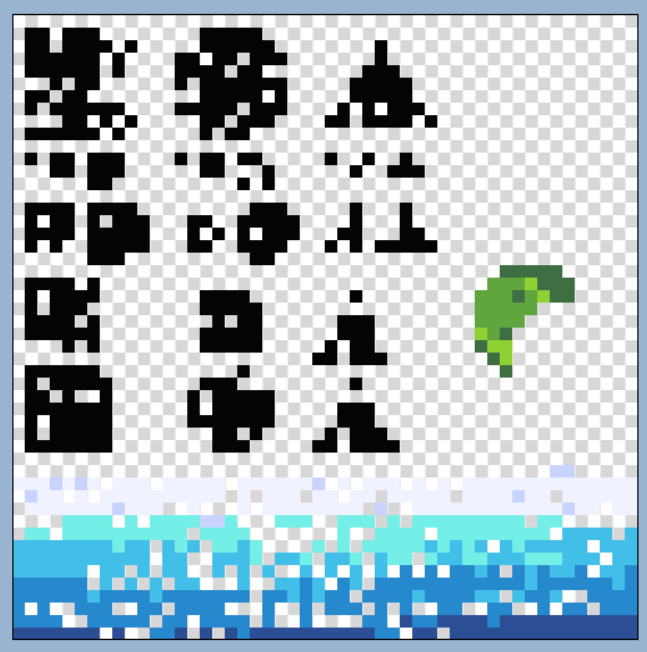
The Spray Can Brush is a hard-edged brush which randomly places the paint with 3 shape varieties: square, circle and triangle.
the Spray Can brush starts at 1px in size, it works with all colours and opacity.
The Spray Can Brush is not affected by Pen pressure/sensitivity, it has a 50/50 chance of placing a pixel every pain tick, this can be adjusted with tool settings, and the longer you hold it down in a single spot the more solid the line is, there is the option to toggle stroke autofill where it can interpolate strokes if framerate is low to keep a consistent pen stroke!
When using a transparent colour or opacity set to 0, this tool acts as an Eraser version of itself, creating a randomised eraser tool!
Editions this Tool is found in:
Cubic Pixel Studio Lite
Cubic Pixel Studio
Cubic Pixels
the Spray Can brush starts at 1px in size, it works with all colours and opacity.
The Spray Can Brush is not affected by Pen pressure/sensitivity, it has a 50/50 chance of placing a pixel every pain tick, this can be adjusted with tool settings, and the longer you hold it down in a single spot the more solid the line is, there is the option to toggle stroke autofill where it can interpolate strokes if framerate is low to keep a consistent pen stroke!
When using a transparent colour or opacity set to 0, this tool acts as an Eraser version of itself, creating a randomised eraser tool!
Editions this Tool is found in:
Cubic Pixel Studio Lite
Cubic Pixel Studio
Cubic Pixels
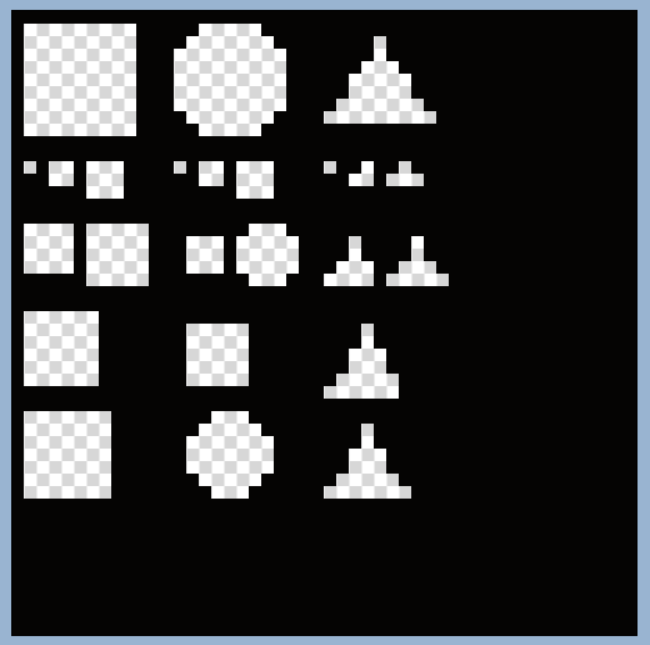
The Eraser is a hard-edged brush which replaces any pixel in its area of effect with a transparent version of it depending on the opacity, at 100% opacity it replaces the pixel with a transparent one, at 50% opacity it replaces the pixel with one with identical RGB values but 50% the alpha, the eraser has 3 shape varieties: square, circle and triangle.
the Eraser starts at 1px in size, it works with opacity.
The Eraser is not affected by Pen pressure/sensitivity, there is the option to toggle stroke autofill where it can interpolate strokes if framerate is low to keep a consistent pen stroke!
Editions this Tool is found in:
Cubic Pixel Studio Lite
Cubic Pixel Studio
Cubic Pixels
the Eraser starts at 1px in size, it works with opacity.
The Eraser is not affected by Pen pressure/sensitivity, there is the option to toggle stroke autofill where it can interpolate strokes if framerate is low to keep a consistent pen stroke!
Editions this Tool is found in:
Cubic Pixel Studio Lite
Cubic Pixel Studio
Cubic Pixels
The Fill Tool will fill any shape with a selected colour, it can also replace any colour with a contiguous toggle.
the Fill tool can be configured on the sensitivity of what constitutes a "solid line" i.e. ignoring diagonal connections, it works with opacity.
Editions this Tool is found in:
Cubic Pixel Studio Lite
Cubic Pixel Studio
Cubic Pixels
the Fill tool can be configured on the sensitivity of what constitutes a "solid line" i.e. ignoring diagonal connections, it works with opacity.
Editions this Tool is found in:
Cubic Pixel Studio Lite
Cubic Pixel Studio
Cubic Pixels
The Select tool allows the user to select an area of the canvas to delete, move, modify or apply a filter/render mode to.
This Tool can be used in 4 different shape modes: quadrilateral(square/rectangle), ellipse(circle/oval), polygon(triangle), free select(commonly referred to as "lasso")
Editions this Tool is found in:
Cubic Pixel Studio Lite
Cubic Pixel Studio
Cubic Pixels
This Tool can be used in 4 different shape modes: quadrilateral(square/rectangle), ellipse(circle/oval), polygon(triangle), free select(commonly referred to as "lasso")
Editions this Tool is found in:
Cubic Pixel Studio Lite
Cubic Pixel Studio
Cubic Pixels
The grab tool is used to navigate the canvas and render window, it is used to translate/pan the camera position, rotate the 3D model render, and zoom in on the draw canvas.
This tool will automatically equip to both left and right tool slots regardless of if you try to select it as primary or secondary, this is because this tool has functions for all mouse buttons, Left click drags, right click zooms/rotates and middle click resets all transformations.
Editions this Tool is found in:
Cubic Pixel Studio Lite
Cubic Pixel Studio
Cubic Pixels
This tool will automatically equip to both left and right tool slots regardless of if you try to select it as primary or secondary, this is because this tool has functions for all mouse buttons, Left click drags, right click zooms/rotates and middle click resets all transformations.
Editions this Tool is found in:
Cubic Pixel Studio Lite
Cubic Pixel Studio
Cubic Pixels
The Flip Axis tool is used to change what axis of the voxel model you are drawing on, the default is the horizontal Y axis, but by changing it to the X or Z axis you can draw it from the front/rear or east/west of the model instead of up/down, this tool makes it extremely easy to modify the model from multiple different angles and is essential in a program like this!
Editions this Tool is found in:
Cubic Pixel Studio Lite
Cubic Pixel Studio
Cubic Pixels
Editions this Tool is found in:
Cubic Pixel Studio Lite
Cubic Pixel Studio
Cubic Pixels
The text tool allows the user to place text on a canvas with ease, the tool can be configured for font-family, font-size and font style. This tool supports importing custom fonts as well! you can even come back and edit text after its been placed and it can be moved without being selected with the move tool, this is because text is not rendered directly on the image but as a separate layer(on top of the specified layer, text layers will adhere to the layer hierarchy) and is stored as a separate object.
Editions this Tool is found in:
Cubic Pixel Studio Lite
Cubic Pixel Studio
Cubic Pixels
Editions this Tool is found in:
Cubic Pixel Studio Lite
Cubic Pixel Studio
Cubic Pixels
The Gradient Tool is used to fill shapes with a gradient or dither, they support multiple colours in gradient steps and can be modified once placed down as they are on a sub-layer of the image layer.
There are multiple different gradient types: simple dithering, complex dithering and smooth
Gradients can be placed in 2 different shape types: linear and radial.
Editions this Tool is found in:
Cubic Pixel Studio Lite
Cubic Pixel Studio
Cubic Pixels
There are multiple different gradient types: simple dithering, complex dithering and smooth
Gradients can be placed in 2 different shape types: linear and radial.
Editions this Tool is found in:
Cubic Pixel Studio Lite
Cubic Pixel Studio
Cubic Pixels
Cubic Pixel Studio Lite is a free version of the software for Windows Desktop computers, it is built on C# Windows Forms which means it does not use the GPU and therefore may have some performance limitations
Price: £0.00 - Free to Download, Free to use for personal use & independent commercial use, enterprise/AA/AAA usage requires the full Cubic Pixel Studio
Minimum Requirements:
Operating System:
Windows 7 or newer
Ram:
2GB
CPU:
2 core 4 thread CPU at 2.0GHz or faster
GPU:
N/A - basic display adaptor is sufficient
Price: £0.00 - Free to Download, Free to use for personal use & independent commercial use, enterprise/AA/AAA usage requires the full Cubic Pixel Studio
Minimum Requirements:
Operating System:
Windows 7 or newer
Ram:
2GB
CPU:
2 core 4 thread CPU at 2.0GHz or faster
GPU:
N/A - basic display adaptor is sufficient
Cubic Pixel Studio is a Java-Vulkan based software capable of real-time rendering, Path tracing and advanced shader options, it has all the features of the Lite version and much more! it is designed to be powerful so it uses a lot of resources such as GPU acceleration and Multi-Threading
Price: £25.00 one time fee for independent usage for both personal and commercial purposes, enterprise/AA/AAA starts at £300.00/seat per project.
Minimum Requirements:
Operating System:
Windows 10 | Windows 11 | macOS | Debian based Linux Distro | Android
Ram:
8GB Recommended, 4GB Minimum
CPU:
4 core 8 thread CPU at 2.0GHz or faster
GPU:
AMD Radeon HD 7350 | Nvidia Geforce GT-650 | Intel HD Graphics 500 | Adreno 530 | Mali-G71
Price: £25.00 one time fee for independent usage for both personal and commercial purposes, enterprise/AA/AAA starts at £300.00/seat per project.
Minimum Requirements:
Operating System:
Windows 10 | Windows 11 | macOS | Debian based Linux Distro | Android
Ram:
8GB Recommended, 4GB Minimum
CPU:
4 core 8 thread CPU at 2.0GHz or faster
GPU:
AMD Radeon HD 7350 | Nvidia Geforce GT-650 | Intel HD Graphics 500 | Adreno 530 | Mali-G71
Cubic Pixels is a Free to use web app version of the Lite software, it will lack some features such as the path traced rendering due to framework differences.
the web version has adverts to generate the revenue to keep hosting it, these can be removed with a cloud subscription which also gives the user the ability to store their projects online
Price: Starts at £0.00, May have optional subscription fees for cloud storage, license requires that commercial use be done on an edition of Cubic Pixel Studio
Minimum Requirements:
Operating System:
N/A - as long as it can run a browser
Ram:
2GB
CPU:
1 core 1 thread CPU at 2.5GHz or faster
GPU:
N/A - basic display adaptor is sufficient
the web version has adverts to generate the revenue to keep hosting it, these can be removed with a cloud subscription which also gives the user the ability to store their projects online
Price: Starts at £0.00, May have optional subscription fees for cloud storage, license requires that commercial use be done on an edition of Cubic Pixel Studio
Minimum Requirements:
Operating System:
N/A - as long as it can run a browser
Ram:
2GB
CPU:
1 core 1 thread CPU at 2.5GHz or faster
GPU:
N/A - basic display adaptor is sufficient